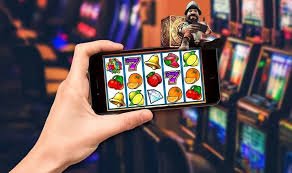
Official kk70 App

KK70 Download — Install the App and Take Full Platform in Your Pocket

The KK70 app is available for Android and iOS. Slots, live casino, sports betting, and withdrawal via Pix — all in the palm of your hand, wherever you are.

kk70

Choose your Platform

KK70 has a native app for Android and iOS. Choose your operating system and follow the step-by-step installation guide.

Most Popular 🤖

Android

Compatible with Android smartphones and tablets. Install the APK directly, no Google Play Store needed.

Minimum versionAndroid 6.0+
File size~45 MB
UpdateAutomatic via the app
SourceDirect APK / QR Code
Download for Android
iPhone & iPad 🍎

IOS

Compatible with iPhone and iPad. Access via Safari or install via PWA for a full native experience.

Minimum versioniOS 13.0+
File size~38 MB
UpdateAutomatic via the app
SourcePWA / Safari
Download for iOS

Browser access: Even without installing the app, you can access KK70 directly through your phone's browser. The mobile version of the site has the same full functionality — slots, live casino, betting, and withdrawal via Pix.

How to Install the App KK70 on Android

Installing via APK is simple and takes less than two minutes. Follow the step-by-step guide below and start playing in no time.

01

Enable unknown sources

Go to Settings › Security on your Android and enable the option "Install apps from unknown sources" or "Allow from this source". This allows the kk70 APK to be installed.

02

Download the APK

Click the download button on this page or scan the QR Code available. The kk70 APK file will be saved automatically to your phone's Downloads folder.

03

Open the APK file

Find the file in your Downloads folder or in the notification bar and tap to open it. A confirmation window will appear — tap "Install" and wait a few seconds.

04

Open the app and log in

After installation, the kk70 icon appears on your home screen. Open the app, sign in with your details or create a new account — and enjoy the full mobile experience.

kk70

Tip: After installing, you can disable the "unknown sources" permission again in your Android settings — the kk70 app already installed will continue working normally.

How to Install the App KK70 on iPhone

On iPhone and iPad, KK70 can be added to the home screen as a Progressive Web App (PWA) through Safari. It works like a native app, without needing the App Store.

01

Open Safari

On your iPhone or iPad, open the Safari browser — it does not work with Chrome or Firefox on iOS for adding to the home screen. Visit kk70.app through Safari.

02

Tap "Share"

In Safari's bottom bar, tap the share icon (a square with an arrow pointing up). A menu will appear with various sharing options and actions.

03

Add to Home Screen

Scroll the menu and tap "Add to Home Screen". Name it KK70 and confirm. The icon will appear immediately on your iPhone's home screen.

04

Open as app

Tap the kk70 icon on your home screen. The app opens in full screen, with no address bar, delivering the complete gaming experience — casino, slots, and betting.

kk70

Note: The KK70 PWA on iOS works with all features: withdrawal via Pix, betting notifications, live casino, and slots. The only difference from Android is the installation method.

App vs Browser vs Desktop

Compare the different ways to access kk70 and choose the one that best fits your gaming routine.

Feature Android App PWA iOS Mobile Browser Desktop
Full Slots and Games Yes Yes Yes Yes
Live Casino Yes Yes Yes Yes
Sports betting Yes Yes Yes Yes
Withdrawal via Pix Yes Yes Yes Yes
Push Notifications Yes Partial Partial Partial
Offline access (limited mode) Yes Partial — —
Home screen icon Yes Yes — —
Touch-optimized interface Yes Yes Yes —

Features subject to platform updates. Most complete version recommended: Android App via APK.

What you'll find on the kk70 App

The app brings the entire platform together in a smooth, fast experience optimized for Brazilian mobile users.

Slots and Games

Hundreds of slot games from the world's leading providers, with graphics optimized for mobile screens and fast loading.

Live Casino

Roulette, blackjack, and baccarat tables with real dealers streamed live in high definition directly on your phone.

Sports Betting

Bet on Brazilian football, international championships, basketball, tennis, and much more — with competitive live odds.

Withdrawal via Pix

Request withdrawals and receive funds via Pix directly through the app, in minutes, with no fees and available 24 hours a day, 7 days a week.

Notifications

Receive alerts for exclusive promotions, personalized bonuses, and withdrawal confirmations directly on your phone screen.

VIP Program

Access the VIP panel, track your points progress, and redeem exclusive benefits directly through the app.

Full Security

Secure authentication, data encryption, and integrated identity verification to protect your account at all times.

In-App Support

Support chat available directly through the app. Get help with withdrawals, bonuses, or games without leaving the platform.

Everything about the kk70 App

Why download the KK70 app?

Playing on mobile is already the reality for most Brazilian bettors. The convenience of opening a game or placing a quick football bet directly on your smartphone, without having to turn on a computer, is hard to beat. The KK70 understood this from the start and invested in an app that delivers the full platform experience on any screen.

The app from KK70 is not a scaled-down version of the website. You'll find the same slots, the same Live Casino tables, the same odds on sports betting, and the same instant Pix withdrawal system. The difference is that everything is just two taps away — no need to open a browser, type an address, or wait for a page to load.

Android: the most complete installation method

For Android users, the KK70 provides the app in APK format — the standard installation format for Android apps outside official stores. This is common practice among betting platforms and online casinos in Brazil, as app store policies impose restrictions on this type of service.

Installing via APK is completely safe as long as the file is downloaded directly from the official website of KK70. The process takes less than two minutes: enable installation from unknown sources in your Android settings, download the APK, open the file, and confirm the installation. Done — the app appears on your home screen and is ready to use.

One key advantage of the APK is that the app receives automatic updates. When a new version is released, the app itself notifies you and installs the update, keeping you on the latest version at all times without having to repeat the manual download process.

IPhone: the PWA solution works great

On iOS, Apple's restrictions do not allow installing apps outside the App Store via APK. The solution from KK70 for iPhone and iPad is the PWA — Progressive Web App. PWA technology allows the site to be installed directly on the iPhone home screen, opening in full screen like a native app, with no address bar and its own icon.

In practice, the experience of playing through the PWA of KK70 on iPhone is very close to that of a native app. Games load at the same speed, Pix withdrawals work normally, and the Live Casino streams in high quality. The main difference lies in more advanced features, such as background push notifications, which have partial support depending on the iOS version.

Performance: the app was designed for mobile users

Brazil has a very diverse connectivity landscape — variable-quality 4G networks, phones across different price ranges, and data plans with limits. The app from KK70 was built with this in mind. Games feature adjustable quality modes, loading is optimized for slower connections, and battery consumption has been reduced compared to previous versions of the platform.

Slots run smoothly on mid-range smartphones with Android 6 or higher. Live casino requires a bit more from your connection — we recommend Wi-Fi or stable 4G for the best experience with dealers. Sports betting is the lightest of all: it works well even on 3G connections.

App security: what you need to know

The app from KK70 uses SSL encryption on all communications between the app and the platform's servers. This means your login data, banking information, and betting history are transmitted securely. No sensitive data is stored on the device without encryption.

For withdrawals, the app follows the same protocol as the website: the CPF linked to your Pix key must match the CPF registered on the account. This prevents any unauthorized withdrawal attempt, even if someone has physical access to your unlocked phone. In case of loss or theft, you can block access to the account by contacting the support team at KK70.

Exclusive promotions for app users

The KK70 regularly offers exclusive promotions and bonuses for users who access the platform through the app. These offers appear in the app's promotions section with prominent highlights. It's always worth checking the promotions area after opening the app — especially on Brazilian Championship match days, when boosted odds and special cashback offers tend to appear.

VIP program users receive personalized in-app notifications about exclusive bonuses, increased withdrawal limits, and tournament invitations. The integration between the loyalty program and the app is one of the areas where KK70 stands out the most compared to other platforms available in the Brazilian market.

Updates and technical support

The app from KK70 receives regular updates with new games, performance improvements, and interface adjustments. On Android, updates are delivered directly through the app. On iOS via PWA, you always access the latest version automatically when you open the icon on your home screen, since the PWA loads from the server.

If you experience any technical issue with the app — freezing, login errors, or any other problem — the support team at KK70 in English is available through the chat built into the app. The support team responds in real time during peak hours and by message outside that period.

How to keep the app updated

On Android, simply open the app regularly — it automatically checks whether a new version is available and prompts you to update. You don't need to return to the site to download a new APK every time. On iOS via PWA, no action is needed: the home screen icon always opens the latest version available on the server of KK70.

Keeping the app updated ensures access to the newest games, the latest security fixes, and the best performance conditions. Very old versions may eventually lose compatibility with new platform features — so it's worth accepting updates when prompted.

kk70

App Requirements

Min. Android6.0 (Marshmallow)
Min. iOSiOS 13.0
Android Space~45 MB
iOS Space (PWA)~38 MB
Min. connection3G / Wi-Fi
LanguageEnglish (BR)

Installation Tips

  • › Download the APK only from the official site kk70.app
  • › On iPhone, always use Safari to install the PWA
  • › Accept automatic updates when prompted
  • › Use Wi-Fi to install and download updates
  • › Live Casino works best with 4G or Wi-Fi

Support

Having trouble with the installation? Our team speaks your language and responds quickly.

Frequently Asked Questions about kk70 Download

Common questions about the app answered directly.

Yes, downloading and installing the KK70 app is completely free, for both Android and iOS. There are no charges related to the app itself — you only need a registered account on the platform to start playing.

Currently, the Android app is available as an APK file directly from the official kk70 website, without going through the Google Play Store. This is common among online betting and casino platforms. For iPhone, access is via PWA through Safari, with no App Store required.

Yes, as long as the download is made exclusively from the official site kk70.app. The APK file is verified and digitally signed. Never download the KK70 APK from third-party sites, WhatsApp groups, or unknown links — those files may have been modified.

Yes. The KK70 app is compatible with Android tablets running Android 6.0 or higher. For iPad, the PWA via Safari works normally and takes advantage of the larger screen for an even more comfortable experience with live casino games and slots.

On Android, the KK70 app manages updates automatically and asks for permission when a new version is available. You don't need to uninstall the app — the update is installed on top of the existing version, keeping all your account data. On iOS via PWA, the update is automatic and transparent.

Yes, you can install the KK70 app on multiple devices and log in with the same account. Your balance, betting history, and settings are synced in the cloud. Remember to log out on devices that are no longer yours for security reasons.

Data usage varies depending on the type of game. Slots and sports betting use very little data — suitable for plans with limits. Live casino, since it streams real-time video, uses more data and works best on Wi-Fi or unrestricted 4G. The app has video quality settings to adjust according to your connection.

Download the App and Start Play at kk70 Now

Install kk70 on your phone, create your account for free, and enjoy slots, Live Casino, and sports betting with Pix withdrawals in minutes.

Português (Brasil)